COMAL-80 {8bit version of COMAL} was used mainly in schools back in the 80's. Its roots are however much older, somewhere around 1972/3 when Borge Christensen and Benedict Løfstedt made a decision to change the BASIC world. And they actually managed to do exactly that and COMAL-80 {first available for Z80 Microprocessor and that's why the 80 in COMAL} was born as a result.
The language mission was to replace normal, regular BASIC in schools because that one was difficult to read and understand while mostly written without any spaces {SPACE} or any structures! The result was well known as a BASIC-Spaghetti-Code.
Mostly even the programmers had no clue what was all about after some time.
COMAL-80 was way better in regard of that and it actually did not allow to write any kind of Spaghetti-Code.
And it was much faster than regular BASIC. Even faster than Commodore C128 BASIC 7 in FAST Mode {2MHz} when COMAL-80 was running just in 1MHz Mode.
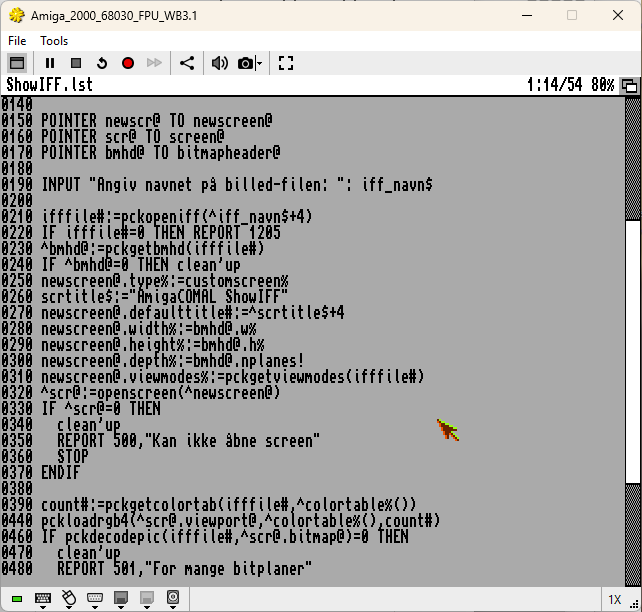
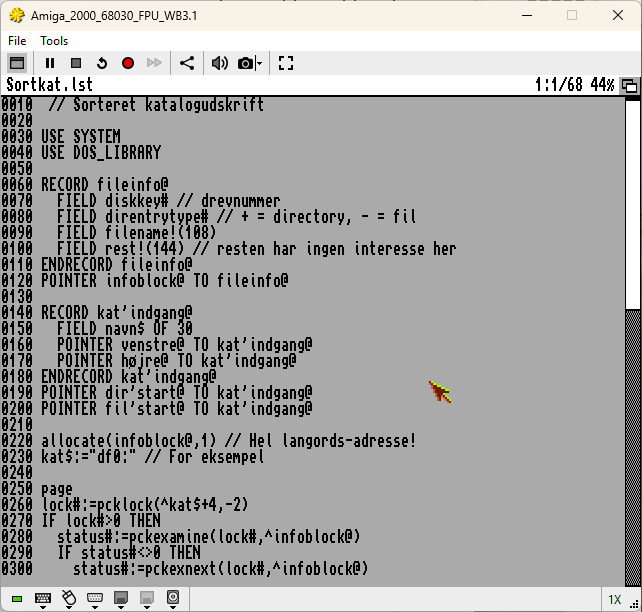
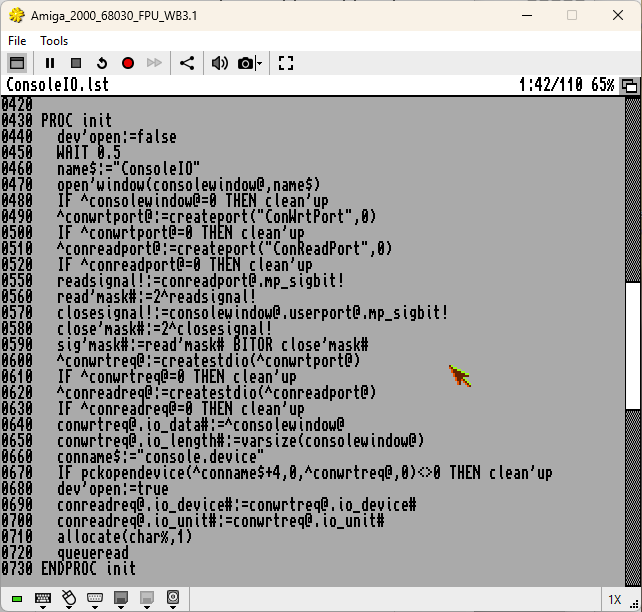
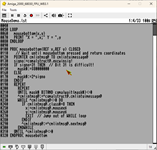
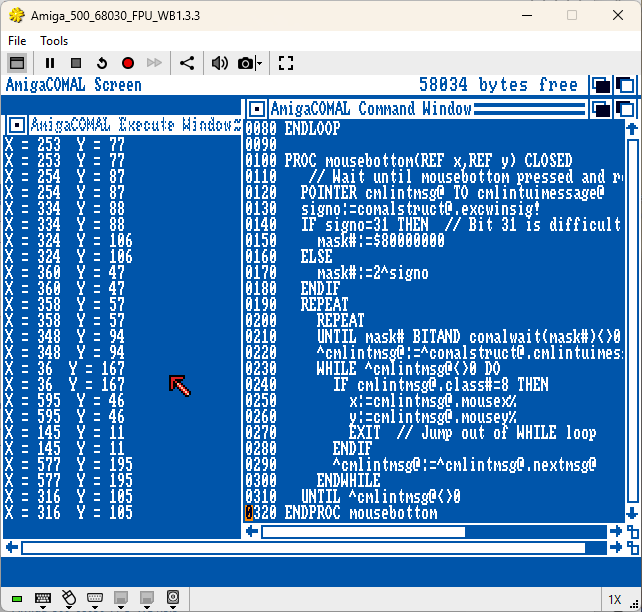
Check here the examples:
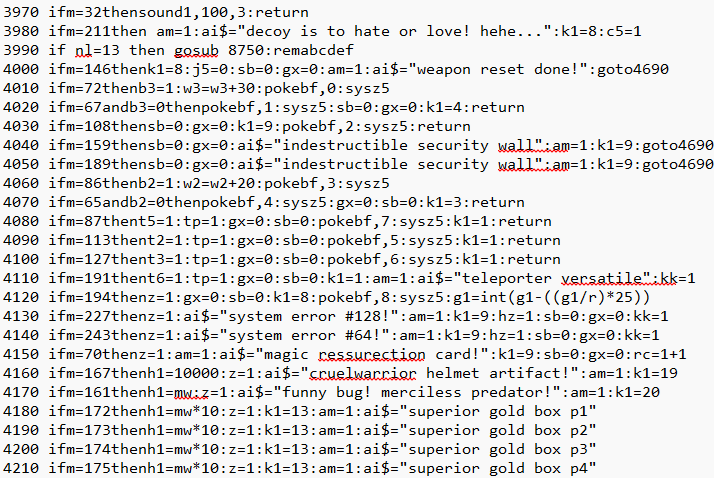
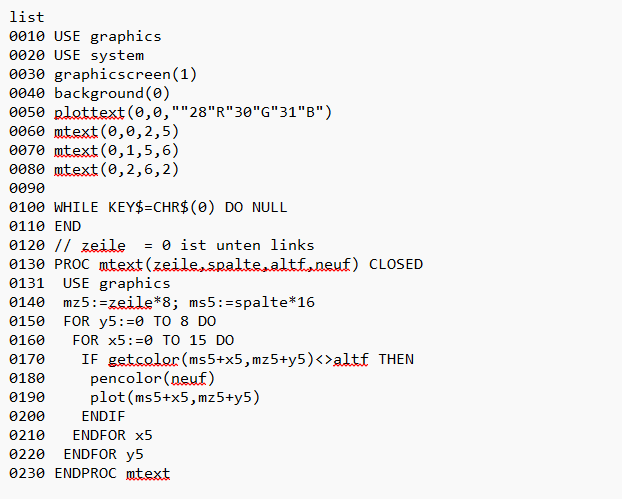
- This is part of the code from my game which is still a Work in Progress for Commodore C128
- MultiColor in COMAL-80 and how to change individual color segment {LowRes-Graphics}
No need to comment what's better read- and understandable for the third party
 (2)
(2) 
I actually discovered COMAL-80 not so long ago and was really so positively surprised that it made me program a game for it which is also finished in the meanwhile. I went so far to have it run with the same code on Commodore C64 and C128, natively. Because C128 is offering 10KB more memory, the actual version is only Commodore C128 compaible, but i am offering also the old one as a free download.
Next big mission of COMAL {UniCOMAL} or better said of the COMAL creators was the portability.
As i have mentioned above already, you could write a code which is going to run on every computer where COMAL was installed and you wouldn't need to worry about a thing. For that purpose, COMAL common BASIC keywords were available.
Basically, you could use CP/M COMAL, write a program and it would run without problems also on C64 or Schneider CPC without any modifications.
Actually, by knowing the systems, you could even go beyond common BASIC keywords and make your program 100% compatible anyway. You would just execute the code which is needed for the individual computer {It's what i did for my COMAL-80 game, so it's proven fact that it'll work and can be done}
Impossible to tell how many people are actually using COMAL-80 nowadays, but it is definitely more than people who are using AmigaCOMAL these days or perhaps the past 30 years.
Beside beeing a Commodore C128 'slave', you can also count me in as an addicted Amiga 'slave' and that was a personal computer I received after the Commodore C128. To say it more precisely, i got my Amiga first 4-5 years later or better said 1989-1990.
I was actively involved into all Amiga events until 1997 and then from time to time when Amiga fever called me back.
All these years i never have heard a thing of or about AmigaCOMAL. Even when I accidentaly found COMAL-80, i thought it's just a language for the 8bit computers because it was available as a cartridge {or nowadays as .crt file}
After finding out how also Amiga version was/is available, i had no time to explore it because i was busy with other things.
Eventually time has finally come to explore the COMAL version for Amiga.
Close to one month i am now searching all there is about AmigaCOMAL and was practically very shocked to experience how there isn't much about it. When you search on YouTube, Facebook etc., you'll going to find absolutely nothing. The worst thing that could happen to any programming language is missing books, manuals, instructions and exactly that is what happen to AmigaCOMAL {well to be completely honest: only things that are existing are AmigaCOMAL PDF-Book for AmigaCOMAL v2.03 and a text file for AmigaCOMAL v3.x} and both of them are point to 3rd party learning material like IntuitionLibrary from Commodore and different DOS and C Books {more about it later}
Other sources like major computer magazines also had zero interest in supporting AmigaCOMAL.
All that led to only one possible outcome: It was like AmigaCOMAL never existed!
Even ComalToday magazine which is well known for Comal support {USA}, could not push AmigaCOMAL to more popularity, especially not because they were closing doors short after the AmigaCOMAL reached version 3.x. That was all in the beginning of the 90's.
I dare to say that the last 30 years not one living soul has touched {installed} AmigaCOMAL because there is absolutely nothing available about it or for it {I'll ignore here quickly the Comal Today, USA, for now}. Talking here about Europe because it is a programming language developed here. Even tho, there were 2 companies involed in developing the AmigaCOMAL:
- MyTech {Alder COMAL, Mexico}
- ComWare {Danish Company}
I wasn't able to find any MyTech {Alder} AmigaCOMAL version, so i guess there is never going to be something available. According to ComalToday, MyTech AmigaCOMAL was 4x slower than ComWare AmigaCOMAL. Silence afterwards, so maybe AmigaCOMAL from MyTech never saw any daylight!?
That leaves us with ComWare AmigaCOMAL or better said it leaves us with AmigaCOMAL which was developed by, at the beginning, Freddy Dan Dalgas Kristiansen & Svend Daugaard Pedersen with assistance from Borge Christensen, the father of COMAL!
ComWare is appearing as distributor for AmigaCOMAL v1.x. Later AmigaCOMAL v2.x had as a distributor UniCOMAL {well known for 8bit COMAL-80), and AmigaCOMAL v3.4 was then a one man army project fully developed and supported only by Svend Daugaard Pedersen {thank you very much} until beginning of the 1996, when he made a decision to stop the development. Unfortunately, nobody else took the mission to continue the AmigaCOMAL journey back then.
So the last AmigaCOMAL version 3.4 is closed to 30 years old {we are counting 2025 now, 4th of October}
Another interesting fact about AmigaCOMAL is how, when it came out, people were asked to port their existing 8bit COMAL-80 programs to AmigaCOMAL. This might sound a little bit crazy approach to push the AmigaCOMAL, but why not?
It would just show one of the major strenght of COMAL in general, the portability and compatibility.
This resulted in over 20 applications for AmigaCOMAL, however, who knows where that floppy disk might be.
It was offered to all buyers of AmigaCOMAL back then, but today it is nowhere available for download.
AmigaCOMAL UNFORTUNATELY ISN'T USED AT ALL AND ANSWERS TO FOLLOWING
QUESTIONS ARE NEEDED:{All answered in the following text further below or at least i hope so}
- What exactly went wrong with AmigaCOMAL?
- Why is it so unwanted category {compared to COMAL-80}
- Why it wasn't used for 3 decades?
- Where is AmigaCOMAL actually?
- Why it is only good to be a dust collector when COMAL-80 is so magically wonderful!
- Is the lack of interest really justified?
TO GET THE ANSWERS TO THESE QUESTIONS AND MORE, WE ARE GOING TO EXEMINE
THREE AmigaCOMAL VERSIONS:
- AmigaCOMAL version 1.40
- AmigaCOMAL version 2.03
- AmigaCOMAL version 3.40
- {will there ever be an update?}
- ...
{All you can see here below {examples} was achieved with Cloanto's Amiga Forever emulator with following specs}:
- Amiga 500/2000
- Kickstart 2.05, Workbench 2.10 {KS 3.1 and WB3.1}
- Turbocard with 68030/28MHz/56MHz CPU
- 1 MB CHIP {Graphics} RAM
- 2-8 MB FAST RAM
- Hard Disk {dh0:, Workbench}, {dh1:, Work}, {dh2:, ShareDrive}
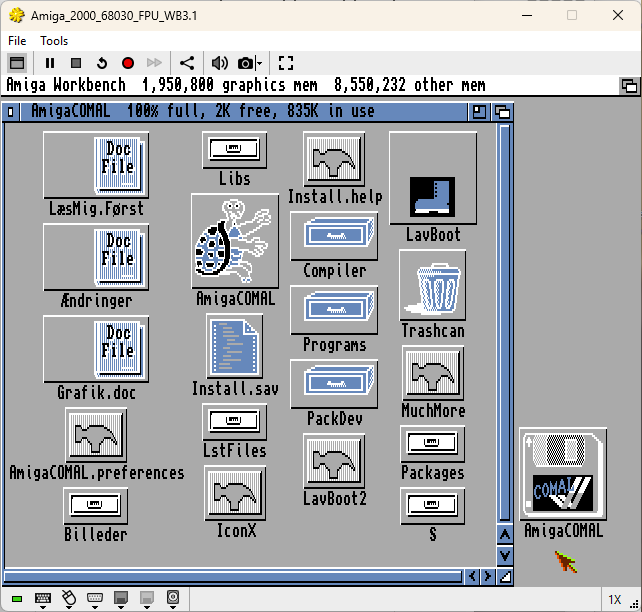
AmigaCOMAL 1.4 is downloadable as an .adf file and it contains AmigaCOMAL and a bunch of Programs {actually tokenized source codes}. No manuals, books, instructions etc. in digital form are part of the disk and i also was unable to find while anything while searching for it. You are on your own in regard of everything and so the first thing i clicked was the Install icon and noticed that the preset :AmigaCOMAL.Preferences won't work and the same for the rest of the folder path!
Solution:
You must use the full path to point to the file {e.g. dh1:Coding/COMAL14/AmigaCOMAL.Preferences} and then the same for the {suggested folder} folders. Except for the LSTFiles! It is missing {and Programs is suggested as a default instead}. I didn't want it so and have created LSTFiles folder and change the path to there within the during the {Preferences} Install process.
It easy, no worries!
Same was than valid for the folders {e.g. dh1:Coding/COMAL14/Packages}
If you don't do it that way, you won't be able to USE the packages and it will result in error.
The next obstacle was loading a file over the menu PROJECT/Load because even with the version 1.4, there was still no sign of any kind of file requester {if you know AmigaBASIC from back in 1985 you'll know what i mean}. To get to your files, you practically need to know a name of every file you want to load, but first you must type the full path to the location where they are located. And that is again making us do this {dh1:Coding/COMAL14/Programs/}
It isn't all so bad! You need to type it just once... {the full* Path}, however, to know all the program names is another story {that was always a pain when working with AmigaBASIC which was available 1985, but this is end of 1989! and nothing changed?}
*Alternative solution would be to make an assignment in User-Startup:
{e.g. assign ComalCode: dh1:Coding/COMAL14/Programs}
{doing so, you would type just ComalCode in Path field { instead of the full Path} and then name of the .sav file {source code}, e.g. lines in File field}
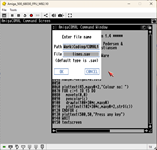
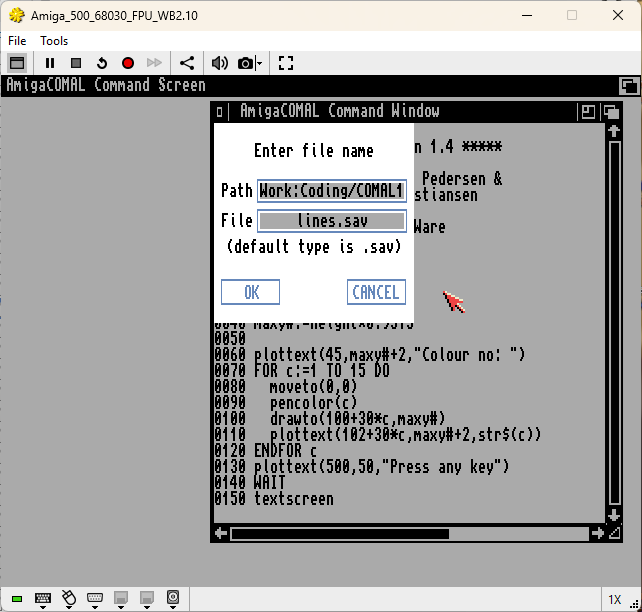
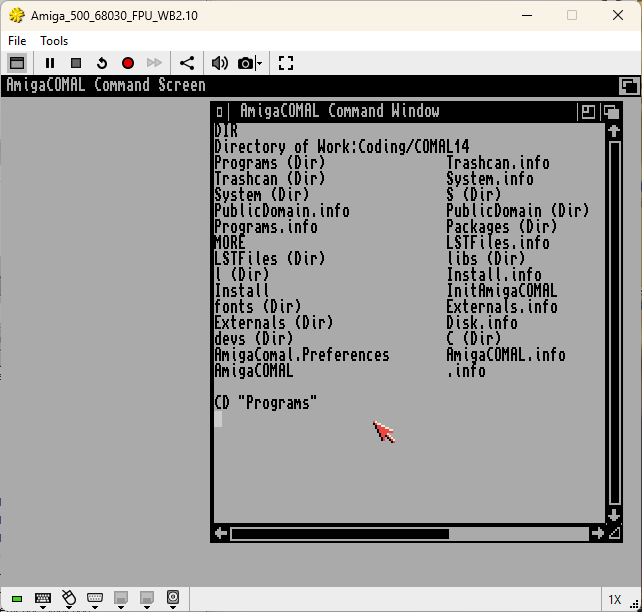
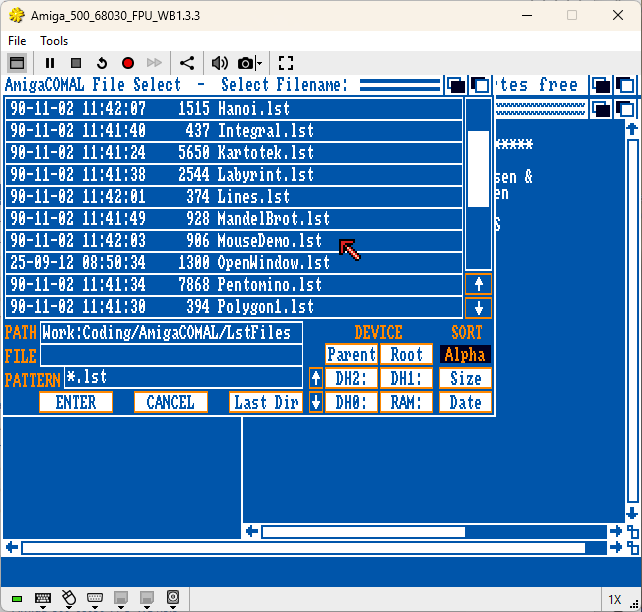
Well, good thing is, with AmigaCOMAL you can access disk drives and floppy disk directly inside of the source code listing. I find that very cool and it actually works pretty well. So, loading any programs is suddenly no big deal. Done within few seconds!
Here are the DOS commands you'll need to sucessfuly navigate through the folder structure:
- DIR will list the content of the active folder
- CD "/" will bring you one folder back within the active folder path
- CD "folder name" will change to that folder
- LOAD "file name" will load the file {no need to write filename.sav, just the filename}
- SAVE "file name" will save the file as filename.sav {.sav is added automatically}
- LIST "file name" will list the file as a text file {.lst file ending is added automatically}
- ENTER ".lst name" will load the Listed file {saved with LIST "file name"}
NOTE: No need to write filename ending .LST to know what it is. It's automatically added when LISTED for saving!
SAME when you load a listed file with ENTER
IMPORTANT TO KNOW:
SAVE, LOAD and LIST are not part of the DOS commands here!
LIST will list the source code you have loaded {with LOAD}.
It also can be used to list the tokenized source code as a text file and save it {as mentioned above}. I added them here because you need them to successfuly achieve your goals!
For example, if you are writting a larger code and want to navigate quicker through the code to exemine it with a text file viewer {i reccommend the TextView for that task}. You can quick LIST the code to RAM DISK with a simple command:
LIST "RAM:lines"
This will list the code as readable text file and it can be opened with a TextView.
In fact, you could also open it with ED {Editor} make changes, save it, and load it with ENTER in AmigaCOMAL {ENTER "RAM:lines"}
and it will load and you can run it without any issues!
What's on the flopy disk ? {except the missing manuals!}
- Programs folder. Examples {a mix of Danish and English 'world' made it difficult to read the included code comments}
- Install file {compiled! Ergo it looks like written in AmigaCOMAL itself}
- PublicDomain Folder containing a Cruncher {No idea if that really was a part of the original AmigaCOMAL disk!?}
- Packages folder with included packages, read keywords.
- More file {{a text reader}. Perhaps there was some kind of instruction included in the past, but went missing!?}
- LSTFiles folder {i had to make that one for text listings of the tokenized source code}
- Well... nothing more!
Not much there to start with, but we actually did came so far without sweating a lot. Not giving up now, right!
So what do we need to start coding a few examples? Exactly, we need well known classic common BASIC keywords for AmigaCOMAL and you can grab them right here: AmigaCOMAL v1.4 COMMON KEYWORDS {incl. examples}
Now let us write a small program, which could actually lead to a mini Workbench game!
0005 USE GRAPHICS
0010 // by www.lived.ch, October-2025
0020 result:=0; fight:=0
0030 graphicswindow(0) // our WB-Window
0035 cs // clears the screen
0040 CURSOR 1,1 // Cursor to left upper corner
0050 LOOP
0060 PRINT AT 1,1: "***********************************"
0070 PRINT AT 2,1: "Welcome to my AmigaCOMAL v1.4 SHOW!"
0080 PRINT AT 3,1: "***********************************"
0090 INPUT AT 5,1,1: "Choose one category [1-3] : ": round$
0100 IF round$ IN "0123456789" THEN
0110 round$:=round$(1:1); result:=val(round$)
0120 IF result>=1 AND result<=3 THEN
0130 result:=result*7; fight:=1
0140 ENDIF
0150 ELSE
0155 cs
0160 ENDIF
0170 IF fight=1 THEN EXIT
0180 ENDLOOP
0190 PRINT AT 7,1: "We are playing "+str$(result)+" rounds today"
0210 PRINT AT 9,1: "Press any key"
0220 WAIT
0230 END
This is a nice little and not complicated code using just {almost} common BASIC keywords.
Exception is of course the linking of the GRAPHICS package to handle the window and clear it. Nothing fancy alltogether and pretty much very easy to understand. That's a quickly done program running on Workbench.
And what a luck, in the meanwhile i was able to find a compiler which is compatible with the AmigaCOMAL v1.4
Which means you can create a standalone application in no time which can run without the neccesity
to have AmigaCOMAL installed on target computer. I did exactly that and already the first try all was good and running, as you can see further below.:
Compiling the Source Code is no magic!
All you must do is copy the content of the Compiler
folder {from ComalDev floppy, 4 files} to RAM.
Then copy also the AmigaCOMAL source code file you wish to compile to RAM:
Before you double click the Compile Icon,click on it JUST ONCE and go to MENU and choose, Icon/Information. This will open a window where you can set the Tool Type {the path to your AmigaCOMAL v1.40 Packages folder!}
When that is done, double click on Compile Icon and type RAM:{the name of your source code}. e.g. RAM:Example-01
Second option is to use CLI {Shell} and quickly write a line of code to compile it!
compile Example-01 -p ram: -u dh1:Coding/COMAL14/Packages
{of course, this is so in my case and if you have this differently, you need to modify the line accordingly}
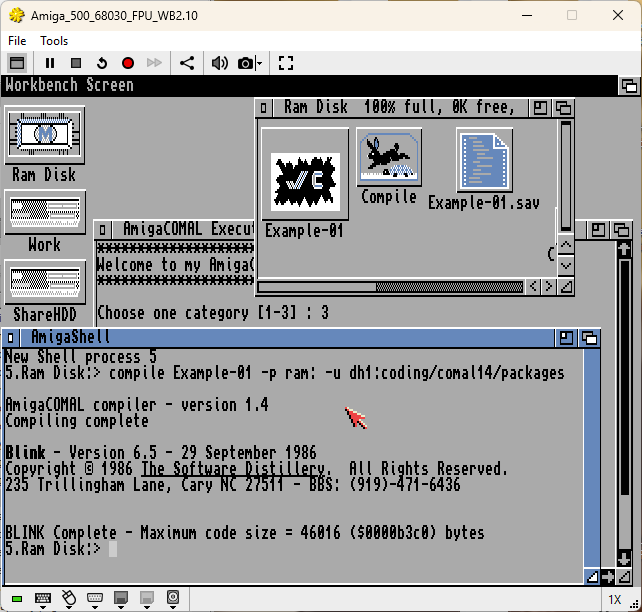
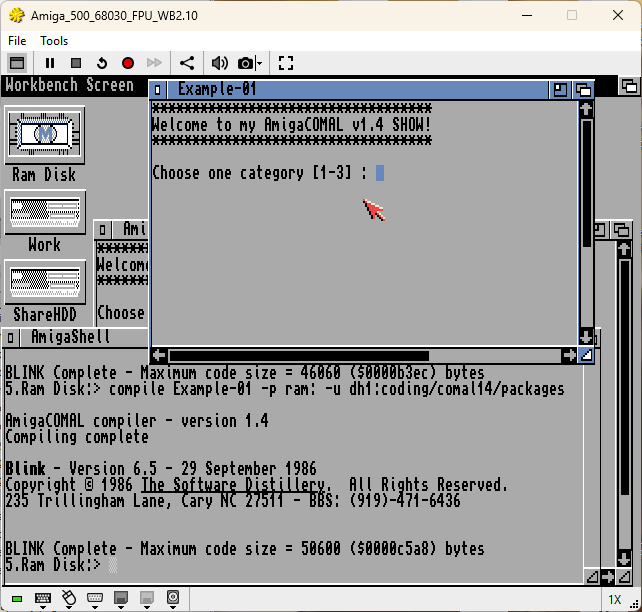
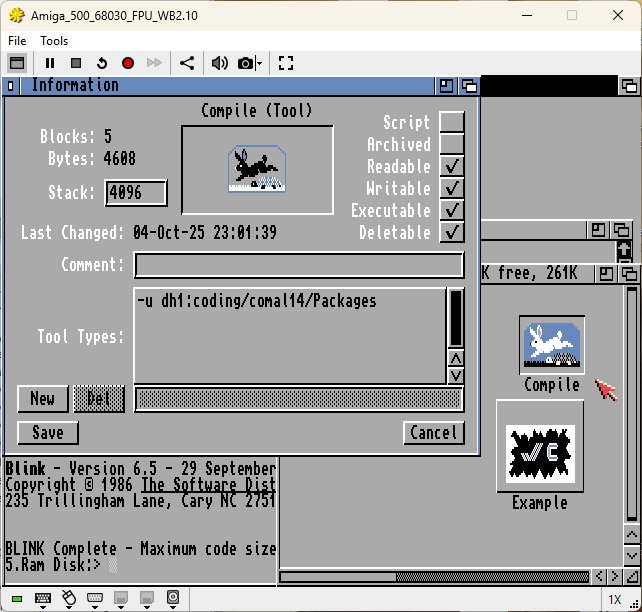
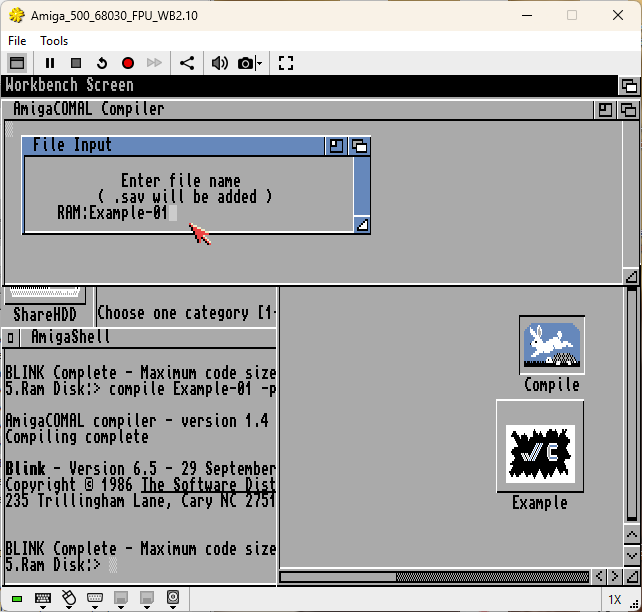
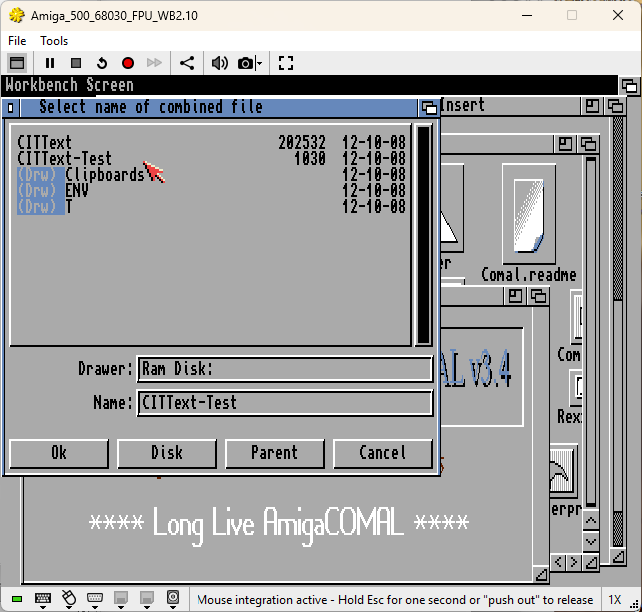
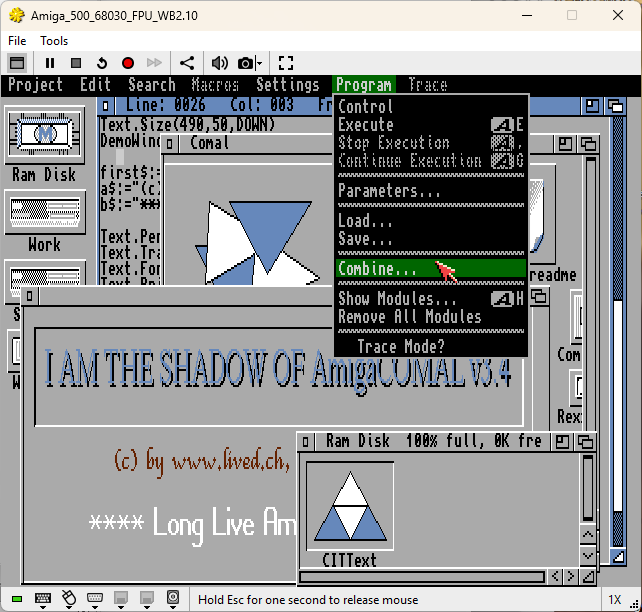
{SCREENSHOTS are showing how to compile AmigaCOMAL v1.4 Source Code}
Wasn't so really difficult. Easy to use even without any detailed instruction and despite all the fact that are talking for COMAL or AmigaCOMAL it never really managed to make big waves in the past and also not during the past 30 years.
No coming back and no celebration related to AmigaCOMAL
I was exploring AmigaCOMAL the past weeks and I assume how the answer to the first question lies in the strategy of COMAL or AmigaCOMAL to be promoted and known as a school software without any competion. That was somehow closed environment without any options to really spread out of it and conquer to world.
On one hand that was a good strategy and it actually worked well! Teachers are Professor were alltogether happy and satisfied with COMAL and it was used at schools and at home
On the other hand it led to a business disaster ouside of the school and the language was ignored by literally everyone and everywhere. It just wasn't sufficient enough to make major computer magazines happy!
One of the reason is the incapabilty of the COMAL language to completely use the native hardware. It was limited to a certain level of usage and only if it was noticed how additional functionality could be helpful in different ways, it was added. Not one second earlier!
That is a no go for computer magazines which always wanted to show what can be done with the hardware. For that reason they inroduced tons of tips und tricks and make billions of listings {I always typed them until the doctor has ring the bell, haha}
And COMAL, even if it was great, it put a hardware usage limitation to establish COMAL program portability and compatibility.
It just wasn't that for the thirsty audience
outside of the schools.
To bad COMAL makers didn't recognized that and made a parallel version of COMAL which would be a native master not cearing about the portability and compatibility.
Such "small" things led to following: even today 5th of October 2025 there is not one word about AmigaCOMAL existing under the category AMIGA PROGRAMMING LANGUAGES!
https://en.wikipedia.org/wiki/Amiga_programming_languages
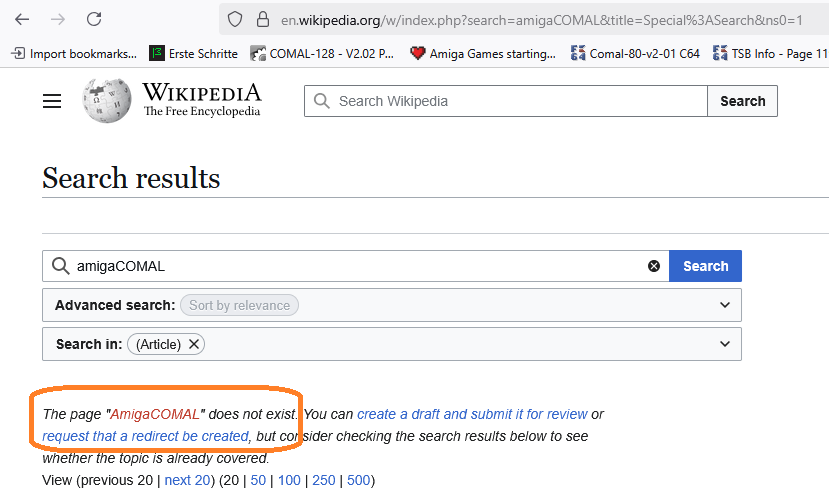
Can you imagine that? Well, even if you can't, it's a pure reality!
{Have to mention tho, how under COMAL there is a small mentioning existing. Namely how COMAL also runs on AMIGA!}
You might say the only place where AmigaCOMAL was known is the USA and Canada thanks to Comal Today magazine {which was managaed by a bunch of volunteers who gave blood and sweat to support the language which totally convinced them}. Not without any reasons because COMAL is great, it's just the parents were obviously not so the business gurus, but i guess they reached their goals in the 80's anyway {maybe not to the percentage they wanted, but still} and made a lot of students feel better in giving them the oportunity to use COMAL, instead of normal BASIC. The difference is clearly there as i have shown at the beginning of this writing}
AmigaCOMAL was born in 1989 {probably the 1.0 version if such thing has ever existed?}.
Or maybe it did started with the version 1.4 because COMAL was well known as COMAL 0.14, despite the fact how COMAL-80 v2.0.1 hit the market
long time ago. So there is a small {number} connection.
It soon has started to update and withing few weeks it already has reach the version 2.0! and practically over night it went to version 2.03 at the beginning of 1990. Shortly after, also the version 2.04 and 2.04L and 2,10 were ready.
However, that is also having it's dark sides! Sure, the updates were delivered, but they were incompatible to any previous versions because the source code was saved tokenized and exactly that wasn't the same with every new realease.
As a result, source code and the packages were each time incompatible and you had to convert them first in order to use them with the newest release.
Making the source code compatible wasn't actually so difficult, hower time consuming nevertheless, especially if you had a lot of source code. Not even talking about the packages which were counting above 30 and converting them practically every few weeks, well i don't know. Probably not all were just happy about it.
Long before the last AmigaCOMAL v2.10 hit the market, development of the version AmigaCOMAL 3.x was running full speed ahead and of course it had negative impact on the v2.xx. Not just that AmigaCOMAL v2.xx was buggy, it also didn't get necessary attention anymore and a lot of minor bugs are still alive {especially in the version 2.03 which i could test}.
Even the following releases are having the same bugs, namly the version AmigaCOMAL 2.04, AmigaCOMAL 2.04L and AmigaCOMAL 2.10.
All that because of the AmigaCOMAL version 3.x
Comal Today people sugessted to wait and not to update to AmigaReleases 2.04/L and 2.10, and buy AmigaCOMAL 3.x instead.
Of course, when you know how bugs won't be fixed, that was the only logical solution and suggestion.
And so here we are, AmigaCOMAL v3.01!
This one is available {downloadable}, however it looks exactly like the version 3.4 which is available in Aminet and that one was tested and it isn't quite bug free too and the manual isn't reflecting all changes, but it is good nevertheless.
More about this subject {much} later!
Allright, i guess we have driftet a bit away from the AmigaCOMAL v1.4, so lets go back right here {hehe...}
I was experimenting with the shortcuts and found out how following combinations are quite handy:
{there is more, but these are the most useful}
{while trying all out, i switched to Italic and underline!Looks like there is no way back! Had to restart AmigaCOMAL}
{Therefore: AVOID following combo CTRL
+ P, R, S, T !!!}
| AmigaCOMAL Key-ShortCuts {no specific order} | |
| {COMBO} | {FUNCTION} |
| CTRL + L | This clears the {source code} screen completely |
| CTRL + W | Positioning the cursor to the top of the screen |
| CTRL + X | Positioning the cursor to the bottom screen |
| CTRL + A | Clears the line only to the right from cursor |
| CTRL + B | Clears all from the cursor to the bottom of the screen |
| CTRL + Z | Characters Insert Mode ON |
| CTRL + Y | Characters Insert Mode OFF {overwrite} |
| CTRL + N | Insert one line {e.g. to add a line between 10 and 20} You don't need to go down to the end of the listing or to overwrite the exising line with the new line number! |
As we slowly know by now, AmigaCOMAL is based on built-in COMMON BASIC Keywords and also the Packages. Packages are having file name ending .PCK {that was changed in later versions}.
In COMAL-80, Packages were written in assembler and you really had to be THE most wanted assembler Guru on the planet {Earth} to write a package for it. Even tho, there are some books existing for it which are seating to bring some light into the darkness! Why it isn't working? Well, there is no assembler Guru guy existing who can explain to a mortal guys {like we are, right} how it is done... They can write 300 pages full of cryptical explainations and telling stories how easy it is, however end of the day you wouldn't even know how the write the first 5 lines of assembly code. They just can't do it, but have other skills therefore!
What? COMAL writing COMAL Packages! Why didn't you tell us immediately!?
Yes, you can write Packages directly using AmigaCOMAL and extend the functionality without touching any Assembler or even C {actually C knowledge would not be so bad because AmigaCOMAL has a lot of things common with C or C++, however it's not quite the same and sometimes also very difficult to understand. Syntax was therefore often changed in the upcoming AmigaCOMAL version to make it better accessible. Not always combined with success, unfortunately}
Anyway, writting a package is now super easy and you can then link it with the USE command, e.g. 0010 USE ourellipse
That's it, no more assembler or whatever!
Let's do it!
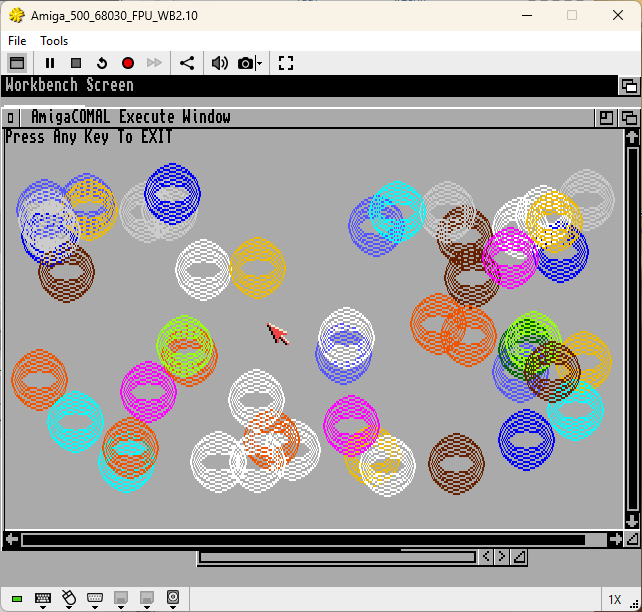
We will make a package that is going to draw 50 color ellipses/circles accross the window with just a single command:
Here we go:
| Making a COMAL .pck Package {AmigaCOMAL v1.4} | How to use it {it's very simple!} |
| This looks huge, but only because we are also taking care of the limitations, meaning, we are limiting the number of inner circles, the value of the radius and are replacing values outside of our limitations. As you can see, it's practically a regular Procedure with added EXPORT command and it must be a CLOSED procedure! |
Using the Package is fairly easy. You need to call the Package itself and then also the GRAPHICS Package again to meet the requirements for the graphicswindow(0) |
| NOTE: Packages are saved incl. the extension .pck, e.g. SAVE "OurEllipse.pck" The best way to make Packages is to NOT create a Package immediately, but to test it first as a normal FUNCtion or PROCedure and when it's working well, turn it to a Package! |
Programs/Listings are NOT saved with the file extension! e.g. SAVE "EllipseDemo" or when listed to file: LIST "EllipseDemo", or LIST "RAM:EllipseDemo" to save it to RAM: and not into the active folder! |
0010 // Our First AmigaCOMAL Package |
0010 // OurEllipse - ExampleCode 0020 // by www.lived.ch, 2025 0030 0040 USE OURELLIPSE 0050 USE GRAPHICS 0060 graphicswindow(0) 0070 cs 0080 FOR b:=1 TO 50 DO 0090 pencolor(rnd(4,15)) 0100 xarea:=rnd(30,width-30) 0110 yarea:=rnd(30,height-30) 0120 ourellipse(10,xarea,yarea,30,15) 0130 ENDFOR b 0140 PRINT AT 1,1: "Press Any Key To EXIT" 0150 WAIT 0160 END |
NOTE: You can at any time load the Package and modify it as you wish to adapt it to your needs! {always DISCARD old Packages before you use new modified versions with the same name!} On the right you can see the result. |
 |
| If we watch this Package example carefully, it can be noticed how the message will appear only if the inner circle value isn't within the limits. If other values are not good, no message will appear, however, the value itself will be changed anyway. Of course, I'll leave that to you to find a solution. It's just a few more IF THEN... And of course, if you'll need additional variable, you need to define them within the procedure because it is CLOSED one. |
|
| VERY IMPORTANT {DISCARD command} What you also should know and memorize is how USE Package is behaving. That is concerning the modification of the Package you have used once, 0010 USE OURELLIPSE and than you have noticed it isn't quite that, how about some changes. When modification is done and saved { save "OurEllipse.pck" }, you load your program again to make the usage of the OurEllipse Package, however, not much has changed! And it isn't because the old Package is still active in the memory and it won't be replaced by another, newer version, when the same file {Package} name is used! What you MUST do to activate the newest modified Package is use the command: DISCARD {in direct mode, no lines}. When you start your program again, your new modified Package will be active and the change you have made will be visible. |
|
In regard of Amiga Resolutions, it is important to know how Circle(100,100,50) want result in a circle if the resolution is set yo High Resolution PAL 640x256. The result will be pretty much oval. However, if the resolution is High Resolution PAL interlaced, then it will be pretty much a round solution. Okay, so much about the Packages. That wasn't so difficult and i hope i managed to explain it understandable! |
|
Somewhere in all these informations so far, I've mentioned how COMAL-80 is a combo of BASIC and PASCAL.
The programmers of AmigaCOMAL went a bit further and have made out of it a combination of BASIC, PASCAL, C and C++ programming language. Especially the last to 'horses' will very probably let any BASIC/PASCAL user sweat. And AmigaCOMAL C and C++ will let you sweat even more and give you on top of that a good portion of PITA {Pain in the ass!}
I honestly have no idea why the two programmers made that decision?!
While COMAL-80 with BASIC {common BASIC keywords + easy understandable commands} / PASCAL {the structure of the PASCAL} combo, really can be described as a brilliant move and honorable stategy, the AmigaCOMAL with addition of extra PASCAL, C, C++ element mix {which aren'y really PASCAL, C or C++, but something that could be their distant cousin} was a huge and big mistake! {in my opinion!}.Nevertheless, the programmers pushed that strategy until the very end, beginning of 1996 {and now AmigaCOMAL isn't even listed as an Amiga programming language, as mentioned already! That's really sad, but after i am done here, the world will know and talk about it, hehe}
Is it now PASCAL, C or C++ or is it not?
When you look at it from the San Francisco bridge, you might think it is PASCAL, C and C++, and then, when you come closer and want to feel it, you think: Who change the template!? That;s not what i have seen before while standing on the bridge!
Well, it is, that's what you have seen! No mistakes. It's just the picture is changing to closer your get!
To make it even worst than is, the syntax of AmigaCOMAL PASCAL, C and C++ implementation is a strange mix and it was changed with new releases and you basically had to start from scratch.
Even the last version {AmigaCOMAL v3.4} still only could be decribed as a distance cousin of PASCAL,C ^ C++ combo. Lucklily, it wasn't so unnecessarly too complicated as everything before and the PASCAL influance was practically taken away {not the structure, but the syntax {thanx God and thank you developer}}
{ Why i think AmigaCOMAL made a deadly mistake by using a mix of PASCAL, C and C++ structure in a BASIC programming language, can clearly be seen in these examples below. AmigaCOMAL was first available in September 1989 and already in November 1989 they managed to jump to a version 2.0! BlitzBasic 2 came out at the beginning of 1990.
With one eye closed, we can say they came out the same day with different visions:
- BlitzBasic remains BASIC the whole run and has its clear and unique identity.
- AmigaCOMAL obviously has some identity issues and can't decide what's gonna be: BASIC, PASCAL, C, C++
As already mentioned, AmigaCOMAL as BASIC and structured source code PASCAL style is a part where fun knows no end. However, when you jump over that fence, it's not so fun anymore. It's not BASIC, it's not C and it's not C++, it's a mix of everything and very difficult to digest. Especially because you need like at least 6 different additional books to master that and have skills to convert it to AmigaCOMAL version of PASCAL, C and C++!
Not saying it isn't managable, but the problem is that someone who wants to learn C, C++ or PASCAL for that matter sure isn't going to get busy with AmigaCOMAL to do that!! And on the opposite side, someone who want's to get his hands dirty with BASIC, sure wont' be very excited to also learn C, C++ and PASCAL {or better said their distant cousin because it's not real C,C++ or PASCAL}
Okay, now let us check the examples right here below:
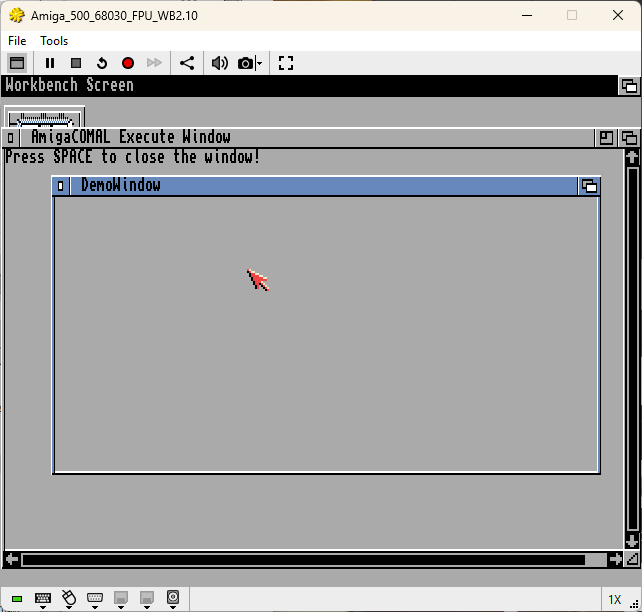
| AmigaCOMAL v1.4 (OpenWindow) | Result: |
| {this is needed to open a window with a user specifications} | |
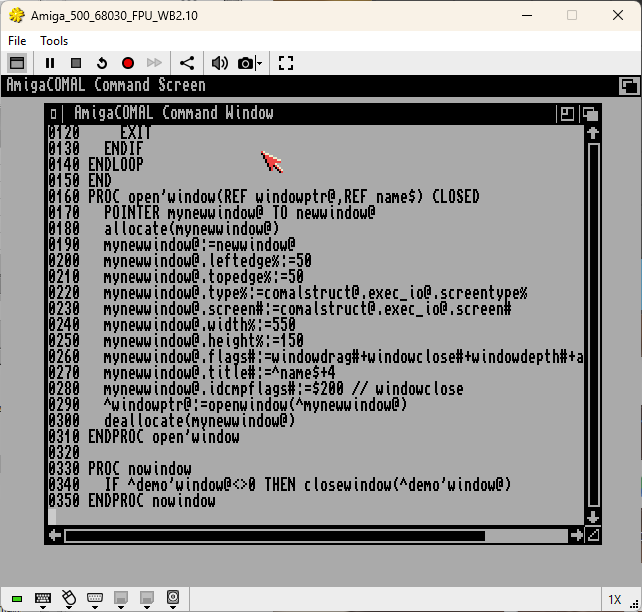
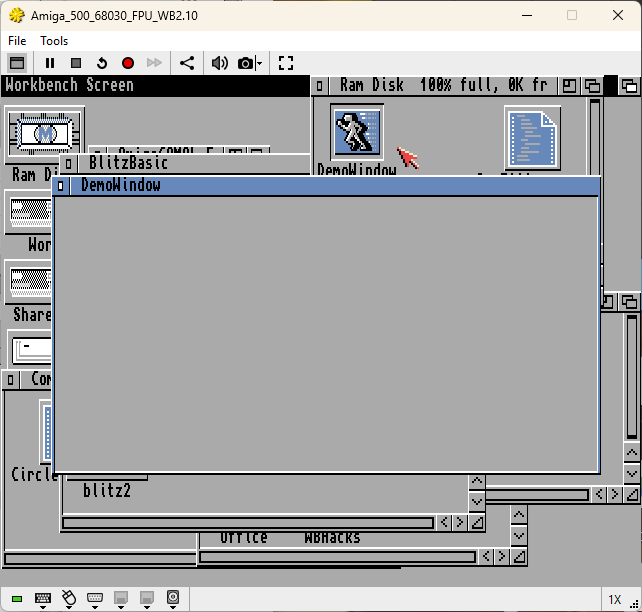
| 0010 0020 USE SYSTEM 0030 USE WINDOWS 0040 0050 POINTER demo'window@ TO window@ 0060 demo'name$:="DemoWindow" 0070 open'window(demo'window@,demo'name$) 0075 page 0080 PRINT AT 1,1: "Press SPACE to close the window!" 0090 LOOP 0100 IF key$=chr$(32) THEN 0110 nowindow 0120 EXIT 0130 ENDIF 0140 ENDLOOP 0150 END 0160 PROC open'window(REF windowptr@,REF name$) CLOSED 0170 POINTER mynewwindow@ TO newwindow@ 0180 allocate(mynewwindow@) 0190 mynewwindow@:=newwindow@ 0200 mynewwindow@.leftedge%:=50 0210 mynewwindow@.topedge%:=50 0220 mynewwindow@.type%:=comalstruct@.exec_io@.screentype% 0230 mynewwindow@.screen#:=comalstruct@.exec_io@.screen# 0240 mynewwindow@.width%:=550 0250 mynewwindow@.height%:=150 0260 mynewwindow@.flags#:=windowdrag#+windowclose#+windowdepth#+activate# 0270 mynewwindow@.title#:=^name$+4 0280 mynewwindow@.idcmpflags#:=$200 // windowclose 0290 ^windowptr@:=openwindow(^mynewwindow@) 0300 deallocate(mynewwindow@) 0310 ENDPROC open'window 0320 0330 PROC nowindow 0340 IF ^demo'window@<>0 THEN closewindow(^demo'window@) 0350 ENDPROC nowindow |
|
| Amiga BlitzBasic 2 {Release 1.0} | Result: |
| {And this is needed to do the same in BlitzBasic} | |
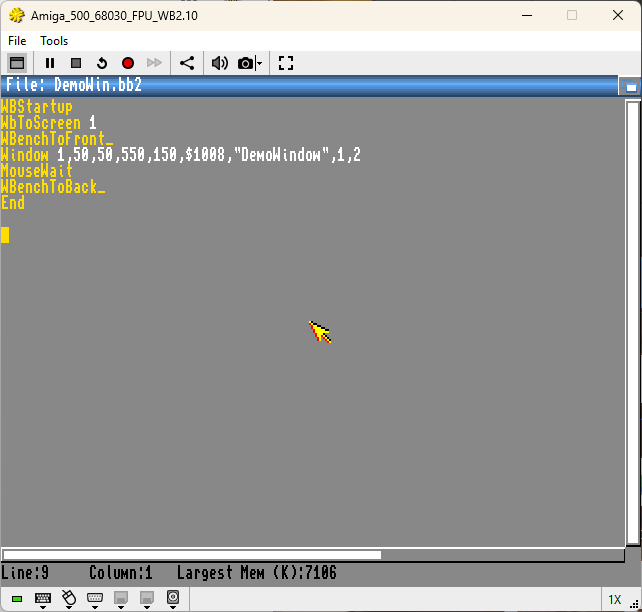
| WBStartup WbToScreen 1 WBenchToFront_ Window 1,50,50,550,150,$1008,"DemoWindow",1,2 MouseWait WBenchToBack_ End |
|
| Do i really need to ask why out of 100, 100 took BlitzBasic and 0 AmigaCOMAL!? Truth is, AmigaCOMAL isn't so bad at all, but the DESTRUCTIVE LACK of books and manual makes it impossible to learn and share the experience! There also aren't many useful examples existing. {when AmigaCOMAL came out, people were asked to port their existing COMAL programs to AmigaCOMAL. That sure didn't included Intuition part and rest of the Amiga Libraries. |
|
In addition to AmigaCOMAL Book for the version 2.10, there was also a book available where all the Packages are described in detail. Not even God can find that one {it means, when it's still in someone's basement, then sure nobody will find it online {that's including www.archive.org}}
Here is the proof of existance {text block where additional manual is mentioned}:
"In the catalogue Packages all the packages are supplied as standard with AmigaCOMAL.
They are all described in the manual you have I hope in front of
you. Let's take a look at two of the packages, namely Iff and IntuiSupport"
However, that one is standing heaviliy in conflict with the following statement in the same book {of AmigaCOMAL v2.10}:
"The AmigaCOMAL system consists of this manual and one disk. You are
encouraged to make a working copy of the disk and use the copy only."
I assume they just forgot to delete or edit this statement because the example is existing. But who knows?
Let us hope the mentioned manual does exist!
With this book in your pocket, all the cryptical commands represented in AmigaCOMAL as a mix of PASCAL, C and C++, suddenly would not be the problem!
Apart from missing manuals, the existing once were written very cheap and in many cases you were just fast forwarded to external books to catch up {such procedure is understandable when just two guys were working on the AmigaCOMAL project and there was surely no spare time available to write fancy books about it too}
Here are the books, we all are talking about:
{Now you really can't run away and must write an application with AmigaCOMAL v1.4 for Amiga}
{Hey, i am not kidding! ;-) }
- Amiga ROM Kernal Reference manual: Exec
- Amiga ROM Kernal Reference manual: Libraries and Devices
- Amiga Intuition Reference Manual
- Amiga Hardware Reference Manual
And not to forget the AmigaDOS because you can access DOS commands from AmigaCOMAL.
{This book is covering pretty much everything in regard of AmigaDOS}
These Books can be useful for all version of AmigaCOMAL in one or another way.
In case you are interested in programming on Amiga with AmigaCOMAL, you'll need all of them {you'll sure enough need them also if you decide to start your programming career with other Amiga programming languages too. And there are many}
Now i will quickly jump to the Packages again, because there is a thing that is extremely bothering me and i would really love to know what the creators exactly were thinking? I mean, the way how it is presented, it's absolutely useless and makes also absolutely no sense at all. As you know, i made a list of all Packages and also the keywords and if description of those keywords would have been more detailed then probably we would not even need that book no one is having to be able to use AmigaCOMAL properly nowadays.
Hier an example of what i mean:
PROC pckprintitext(i0#,i1#,i2#,i3#)
{AmigaCOMAL v1.4 - Procedure to bring text to window}
{What is this exactly? Why not with more details!}
{Literally all descriptions are like that, crazy}
{and totally unusable}
Then i went to Amiga Intuition Reference Guide and there it is like this here and if nothing else, we got more information about it, but aren't really so far to write "Hello World!" inside of the window!
PrintIText (RPort, IText, LeftOffset, TopOffset)
RPort = pointer to the RastPort to receive the text.
IText = pointer to an IntuiText structure.
LeftOffset = offset added to IntuiTextx coordinate.
TopOffset = offset added to IntuiTexty coordinate.
I am by no means a C, C++, C# or whatever C guy and i refused to ever touch it because it makes no sense to write > 50 lines of source code to write two words into the memory where it is then going to be visible on the screen.
Anyway, IText isn't something like text string, e.g. "Hello World!", no, it's just a pointer to an IntuiText structure. It actually means then you first must have that structure created and that looks like this:
{and this is C language, who knows how it would look in AmigaCOMAL Syntax!? I found nothing, so can't tell}
struct IntuiText
{
UBYTE FrontPen, BackPen;
UBYTE DrawMode;
SHORT LeftEdge;
SHORT TopEdge;
struct TextAttr *ITextFont;
UBYTE *IText;
struct IntuiText *NextText;
}
And if you now think that's it! No, it's not.... There is this fancy RPort. As we see it, it's also needed and it's not just something like , i don't know, e.g. PORT 100, no, that one is big like two 500 Pages books! This is now from the AmigaCOMAL v2.10 book because there is nothing else available, but it will demonstrate well what i mean:
RECORD rastport@
FIELD layer#
POINTER bitmap@ TO bitmap@
POINTER areaptrn%
FIELD tmpras#
FIELD areainfo#
FIELD gelsinfo#
FIELD mask!
FIELD fgpen!, bgpen!, aolpen!
FIELD dramde!
FIELD areaptsz!
FIELD Linpatcnt!
FIELD durmy!
FIELD flags%
FIELD lineptrn%
FIELD cp_x%, cp_y%
FIELD minterms!(8)
FIELD penwidth%, penheight%
FIELD font#
FIELD algostyle!
FIELD txflags!
FIELD txheight%, txwidth%
FIELD txbaseline%
FIELD txspacing%
FIELD rp_user#
FIELD wordreserved%(7)
FIELD longreserved#(2)
FIELD reserved!(8)
ENDRECORD rastport@
Really! All that to write two words?!
My grandmother was old and she had no clues about the computers, but she knew well how not always the smart people are winning the competition.
Developers of AmigaCOMAL were smart, no doubt about that, but they lost completely! Made a language which nobody was using and nobody is using and it is not even listed among all available Amiga programming languages!
It was a mixed journey and i honestly hope that one day {before i turn 100!} some nice person is going to upload all those nice little books and manuals for AmigaCOMAL v1.4.